Background remover

Remove the background from any photo

Background remover finds the main subject and cuts it out with clean edges, even around hair. You get a transparent image ready for profile pictures, shops and collages.

  • 2versions
  • 1 freeno subscription needed
  • Android & iOSsame tool on both

How to use Background remover

  1. Pick a photo with a clear subject.
  2. Standard keeps the full canvas. Cropped trims tightly to the subject.
  3. Save the cut-out with a transparent background.

Every version, three real examples

Each version runs on the same three photos, so you can compare them side by side.

Standard Free

Removes the background and keeps the original image size.

Best for: profile pictures and collages

Portrait on a busy street
Beagle on the sofa
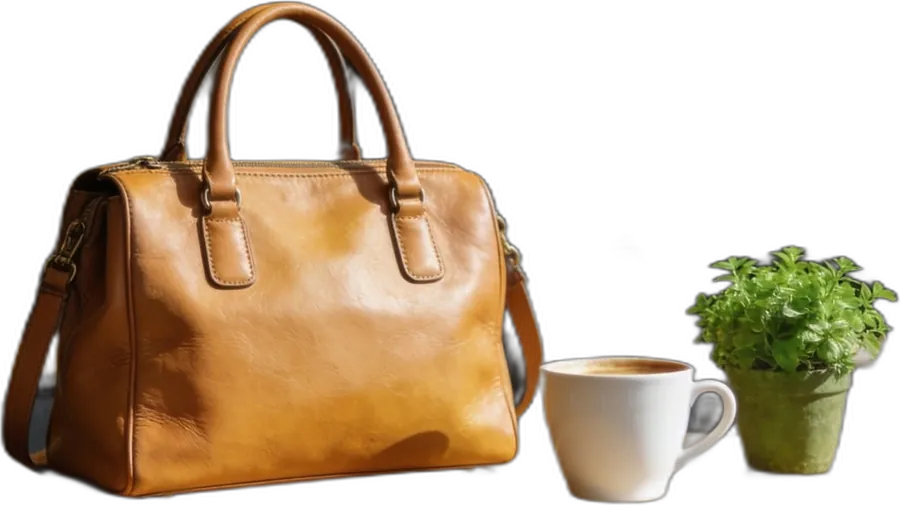
Handbag on a café table

Cropped ♛ Premium

Removes the background and crops tightly around the subject.

Best for: product photos and stickers

Portrait on a busy street, before
Portrait on a busy street, after Background remover Cropped
Portrait on a busy street
Beagle on the sofa, before
Beagle on the sofa, after Background remover Cropped
Beagle on the sofa
Handbag on a café table, before
Handbag on a café table, after Background remover Cropped
Handbag on a café table

Try Background remover on your own photos

Free on Android and iPhone, in 22 languages.